AI TOOL / #10056
Cleanvoice AI
An AI platform designed to clean up audio recordings and podcasts by removing unnecessary background sounds and noise.
Introduction
AI platform to clean audio recordings and podcasts, removing filler sounds and noise.
What is Cleanvoice AI?
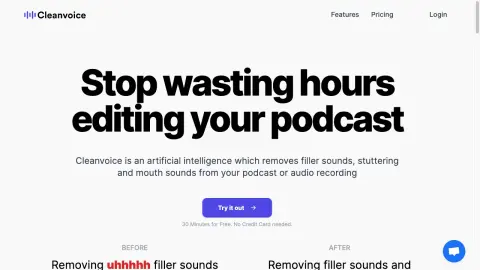
Cleanvoice AI is an artificial intelligence platform designed to remove filler noises, stuttering, and unnecessary vocal sounds from podcasts and audio recordings. It enables users to achieve professional-quality sound effects in their recordings without having to spend hours performing manual editing. Cleanvoice AI also offers features such as background noise removal, filler word elimination, transcription services, and podcast summarization tools.
How to use Cleanvoice AI?
When using Cleanvoice AI, users can drag and drop audio or video files onto the platform. The AI automatically cleans the audio by removing any unwanted sounds. Users can then download or export the cleaned files.
The core functions of Cleanvoice AI
Removal of fill-in sound effects
Background noise removal
Podcast Summary
transcription
multitrack editing
Related
OfficePlus
OfficePlus is a website provided by Microsoft that offers PPT templates, Word documents, Excel charts, and various other template resources. All of these resources are completely free to download and use, without any hidden requirements or fees! The site includes business and academic PPT templates, job application resumes, commonly used documents, and financial reports.
Academic Search
Chongbuluo Academic Search, produced by the Chongbuluo community, integrates 21 academic resource indexing sites, making it easier for you to search academic resources across different academic websites.
Screen defect detection
Want to know if there are any defects in your screen? Conduct an online inspection of your monitor! The testing services available on this website include: solid color tests, light leakage checks, interference tests, focus verification, “breathing effect” analysis, contrast measurement, gamma setting evaluation, and saturation testing. With these tools, you can comprehensively assess the quality and performance of your monitor.
New SpeakON
AI voice input and assistant on the iPhone
The new Pika H3 Flex
Pika generates audio and video content based on the MiniMax-H3 algorithm.
New Tokeny
A desktop AI assistant that delivers a finished product from a single spoken sentence.