AI TOOL / #10696
CANVID for Windows
Screen recording tool with auto-enhancement to easily create professional videos.
Introduction
Screen recording tool with automatic enhancements for creating professional videos easily.
What is Canvid?
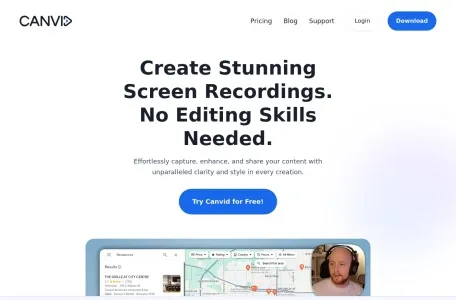
Canvid is a screen recording tool designed to easily capture, enhance and share screen recordings. It offers features like smooth mouse movement, auto-zooming, cinematic motion blur, and background effects, making it ideal for creating high-quality presentations, tutorials, and promotional videos without advanced editing skills.
How to use Canvid?
Capture the screen with just one click, enhance it with auto-zoom and AI background effects, add subtitles, and finally share the finished video instantly via cloud upload or local save.
Canvid’s core features
Auto scaling
AI background effect
Automatic subtitles and transcriptions
Simple screen recording
Share instantly
AI enhanced speech
Creative camera features
Related
Foliko by SynerAI
An AI-driven stock market analysis platform that provides trading signals and news insights.
ALWIN
Algae utilizes blockchain technology to democratize real estate investment, allowing investors to start with a minimum contribution of just €10.
Sopra.ai Real Estate Assistant
A real estate investment tool utilized for ROI analysis, transaction underwriting, and property flipping.
HODL it!
An AI-based encryption investment advisory service that provides trading signals, portfolio tracking, and social trading features.
Capital Companion
An AI-driven stock analysis platform that provides real-time insights for traders in the United States.
TeQatlas: instant insights for VCs and Angels
An AI-powered Chrome extension that assists venture capitalists and angel investors in managing their investment opportunities.