AI TOOL / #01477
OppenheimerGPT: two AI brains, one app!
A macOS app for using Google Bard and ChatGPT side by side.
Introduction
macOS app to use Google Bard and ChatGPT side-by-side.
What is OppenheimerGPT?
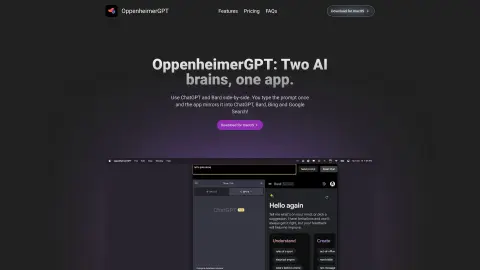
OppenheimerGPT is a macOS app that allows users to use AI models such as Google Bard and ChatGPT side by side. It sends the user’s prompt to both Bard and ChatGPT simultaneously, providing answers from both platforms. The app runs in the menu bar for quick access and supports standalone windows for researching multiple topics. It offers a free basic version and a paid Pro version with additional features.
How do I use OppenheimerGPT?
Enter your prompt in the OppenheimerGPT app, and it will automatically forward the prompt to Google Bard and ChatGPT. Then, submit the prompt to receive answers from both AI models.
Key Features of OppenheimerGPT
A Side-by-Side Comparison of AI Models (ChatGPT and Gemini/Bard)
Tip: Mirror to Multiple AI Platforms
Menu Bar Access for Ease of Use
Supports separate windows for multiple research topics
Related
SquadRoom
An AI expert team that uses kanban systems to assign tasks efficiently
ngram
AI tool that converts screen recordings into presentation videos
Halo
A handy utility for converting the notch on your Mac into a “Dynamic Island” interface
Max Creative
Cross-border e-commerce: TikTok AI-generated media content
X-Pilot
AI that converts courseware and teaching materials into instructional videos
PostWizard
Generate and schedule X tweets