AI TOOL / #04208
Shift-Ctrl-F: Semantic Search for the Browser
A Chrome extension that uses MobileBERT to search for and highlight answers on web pages.
Introduction
Chrome extension using MobileBERT to search and highlight answers on webpages.
What is the Shift-Ctrl-F Chrome extension/plugin?
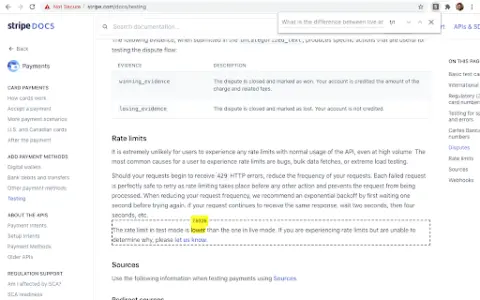
Shift-Ctrl-F is a Chrome extension that utilizes the MobileBERT model, which has been fine-tuned using the SQuAD dataset. This extension uses TensorFlowJS to search for answers on web pages and identify relevant elements. It allows users to enter natural-language queries and find corresponding answers within the content of the current page.
How to use the Shift-Ctrl-F Chrome extension/plugin?
1) Open the extension pop-up window using the toolbar or shortcut key (Shift-Ctrl-F).
2) Enter your natural language query in the search box.
3) Press Enter and wait for the model to return the results.
The core functionality of the Shift-Ctrl-F Chrome extension/plug-in.
Conduct natural language question-and-answer interactions on web pages.
Highlight relevant elements based on the search query.
Efficient processing using MobileBERT
Related
Checkmyidea-IA
Services driven by artificial intelligence that enable the rapid and efficient verification of business ideas.
Take Care
TakeCare offers instant health advice from pharmacists through online consultations for £5.
Intapp
Intapp: An artificial intelligence-based software designed for professional and financial services companies, helping to promote growth and manage risks effectively.
ai4bd.com
AI4BD provides AI-based products and services for the automation and digitization of enterprise processes.
Trelent
Trelent provides customized artificial intelligence solutions for enterprises, with a focus on security and speed.
The AI Exchange
A platform designed for learning, collaborating, and utilizing artificial intelligence to drive business transformation.