AI TOOL / #06136
Ask Screenshot for Gemini
Improve productivity by integrating screenshot and text analysis with Gemini.
Introduction
Enhances productivity by integrating screenshot and text analysis with Gemini.
What is the Ask Screenshot AI Chrome extension/plug-in?
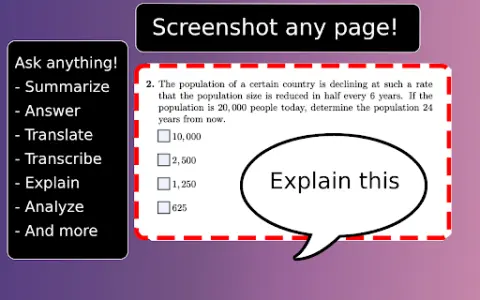
Ask Screenshot is a tool designed to enhance productivity by directly integrating screenshot and text selection analysis with Gemini. It enables users to quickly capture screenshots or select text, and then use Gemini to perform tasks such as summarizing, transcribing, interpreting, translating, or carrying out other operations based on predefined or customizable templates.
How to use the Ask Screenshot AI Chrome extension/plug-in?
To use “Ask Screenshot”, simply right-click on any page and hover over “Ask Gemini” to access the available screenshot templates. For selecting text, right-click on the desired text and hover over “Ask Gemini” to view the available templates.
Explore the core features of the Screenshot AI Chrome extension/plug-in.
Take a screenshot and perform analysis: After capturing the screenshot, Gemini will automatically be used to conduct the analysis.
Select and analyze text: Right-click on any selected text to automatically have Gemini perform the analysis.
Related
Laneform
A platform for urban planning visualization and community engagement.
vinteo.ai
An AI-powered image generator for e-commerce, which utilizes artificial intelligence techniques in photography and realistic backgrounds to create visually appealing content.
Design My Room
Let AI-generated designs help you redesign your room in just a few seconds.
Renovate AI app 2.0
An AI-powered home renovation app for visualizing and planning interior and exterior designs.
Indesignify
An AI-powered web application designed for instant indoor redesign and prototyping.
AI Dezigner
An artificial intelligence-based interior design tool used to generate suggestions for room design.