AI TOOL / #06529
AudioTTS – Simple Text to Speech Downloader
A Chrome extension designed to download text-to-speech audio files from various platforms.
Introduction
Chrome extension to download text-to-speech audio from various platforms.
What is the AudioTTS AI Chrome extension/plug-in?
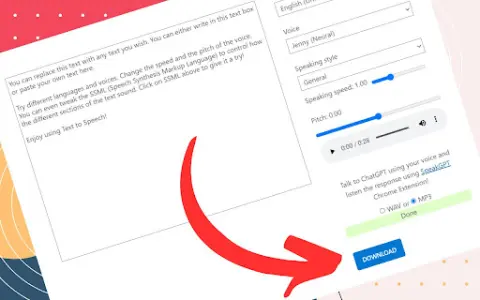
AudioTTS is a Chrome extension designed to download text-to-speech audio files from various platforms, such as Microsoft Azure, Google TTS, IBM Watson, and ChatGPT. It simplifies the process of converting text into downloadable audio files in MP3 or WAV format.
How to use the AudioTTS AI Chrome extension/plug-in?
Install the AudioTTS Chrome extension, visit the supported websites (ChatGPT, Microsoft Azure, Google TTS, IBM Watson), and then click the “Download” or “Read Aloud” button. The audio files will be available for download in MP3 or WAV format.
The core functionality of the AudioTTS AI Chrome extension/plug-in
Download text-to-speech audio files from supported websites.
Supports MP3 and WAV audio formats.
Supports voice downloads via ChatGPT.
Compatible with browsers that support Chrome extensions.
Related
GPT Diagram Maker
GPT Diagram Generator is a tool for creating simplified illustrations to explain ideas, structures and processes.
Duply.co
Automated visual content creation platform with API, URL and no-code integration.
Creative Fast AID
AI-based tools designed to help brands and non-governmental organizations generate creative ideas for various activities.
#1 AI Speech/Video To Text Tool
AI-based audio and video transcription tool that supports more than 98 languages.
CheckforAI
The AI-based text detection tool for writing purposes has ceased its operations.
Cerelyze
Cerelyze is a web platform that enables engineers, researchers, and scholars to quickly reproduce the results of scientific studies. It allows users to gain a comprehensive understanding of research papers, automatically converts experimental methods into Python code or provides step-by-step instructions, and facilitates the rapid execution of example cases to view the resulting output.