AI TOOL / #06631
Voice-to-ChatGPT
Voice-controlled ChatGPT interactions via browser plug-in.
Introduction
Voice-controlled ChatGPT interaction via a browser extension.
What is the Voice-to-ChatGPT ai chrome extension/plugin?
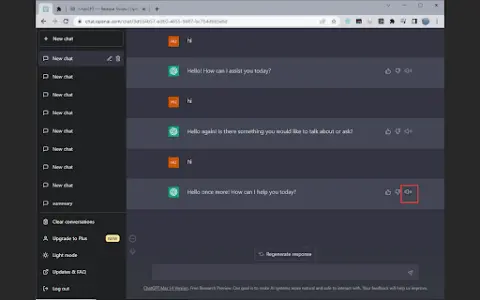
Voice Control ChatGPT is a browser plug-in that allows users to interact with the ChatGPT language model through voice. It leverages Google Chrome's speech recognition and text-to-speech technology to enable users to use voice input and audible replies from ChatGPT. Users can hold down the button to speak their question, release the button to send, and optionally cancel or edit before sending.
How to use Voice-to-ChatGPT ai chrome extension/plugin?
Open the ChatGPT homepage, press and hold the Talk button to speak, and release the button to send your question. You can cancel or edit your entry before sending.
Voice-to-ChatGPT ai chrome extension/plugin core functionality
Voice input to ChatGPT
Text-to-speech output for ChatGPT
Major languages supported
Press and talk function
Related
LangMob
AI chatbot language learning application that provides personalized lessons and interactive conversations.
Sentelo
Sentelo is a Chrome extension that helps students quickly summarize, rewrite, and explain texts.
Projectile Motion Calculator and Solver | MathGPT
A projectile motion calculator that provides instant results and step-by-step explanations.
PrepareBuddy
An AI-based learning platform offering customizable exams, study plans, and real-time analytics, free for all users.
PAWgrammer
The DSA challenge utilizing GPT-based artificial intelligence for decoding purposes enhances the ability to solve problems effectively.
QuestionAI.ai
AI Assignment Assistant provides accurate answers and detailed solutions across various disciplines.