AI TOOL / #06632
Talk to GPT
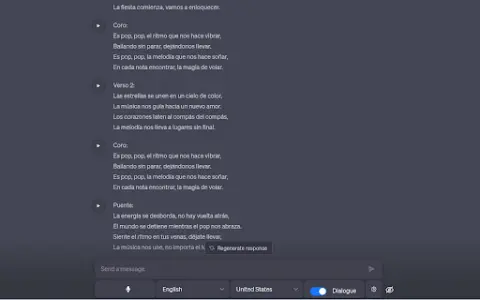
A Chrome extension designed for voice interaction with ChatGPT, supporting multiple languages and error correction features.
Introduction
Chrome extension for voice interaction with ChatGPT, supporting multiple languages and error correction.
What is the Talk to GPT AI Chrome extension/plug-in?
“Dialogue with GPT” is a Chrome extension that enables users to interact with ChatGPT on chat.openai.com via their microphone. It utilizes the browser’s speech recognition API to convert spoken audio into text and supports multiple languages. Users can also adjust the language settings and enable ChatGPT’s error-correction functionality.
How to use the Talk to GPT AI Chrome extension/plug-in?
Install the Talk to GPT Chrome extension. Visit chat.openai.com and use your microphone to utter your query. This extension will transcribe your voice and send it to ChatGPT.
The core functionality of the GPT AI Chrome extension/plug-in.
Provide voice input for ChatGPT.
Multi-language support
Language level adjustment
ChatGPT corrects errors.
Related
Perpetual ML
Perpetual ML: A machine learning toolkit that is 100 times faster and ideal for modern data warehouses.
Parse.dev
AI-driven data analysis tools that simplify data analysis without SQL or coding.
UnStruct AI
UnStruct.ai: Contextual analysis of diverse data sources using customizable RAG and LLM.
VerbaGPT
A tool that uses LLMs for data analysis, focusing on data privacy and ease of use.
Anilyst
An AI-driven platform for data analysis, insights generation, and visualization.
wyd.chat
An iMessage data analysis tool that provides statistics and insights regarding SMS messages.