AI TOOL / #06677
Voice Control for Netflix
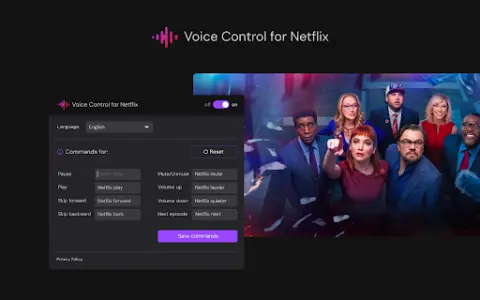
Use voice control to operate Netflix: play, pause, fast-forward, and more.
Introduction
Control Netflix with your voice: play, pause, fast-forward, and more.
What is the Voice Control for Netflix AI Chrome extension/plugin?
Netflix’s voice control allows users to manage their Netflix experience via voice commands. This includes tasks such as playing, pausing, and advancing videos, all without the need to use a remote control or touch the screen.
How to use the Voice Control feature for the Netflix AI Chrome extension/plug-in?
Simply enable Netflix’s voice control, and then use voice commands to control playback, navigate the menu, and search for content.
The core functionality of the Netflix AI Chrome extension/plugin for voice control
Use voice control to operate Netflix playback functions (play, pause, fast forward, rewind).
Hands-free navigation, Netflix menu
Voice search for films and TV shows
Related
GPT Google Form Builder
A tool that allows for the rapid creation of Google Forms using AI and document import functionality.
Invoice Matchpoint by .dodocs.AI
Use AI to automate invoice processing, data extraction and chatbot services.
UberTTS
An artificial intelligence tool platform designed to enhance productivity, improve quality, and facilitate monetization.
Modal
A serverless platform provided for AI and data teams, capable of performing large-scale computational tasks.
SAAR- Summarize And Translate
A tool that can summarize and translate multilingual documents and support OCR.
drawing calculator
Chrome extension for plotting and evaluating mathematical expressions, using deep learning technology.