AI TOOL / #06759
Chromesthesia
Capture audio tagged with relevant labels and use various audio recognition services to analyze them.
Introduction
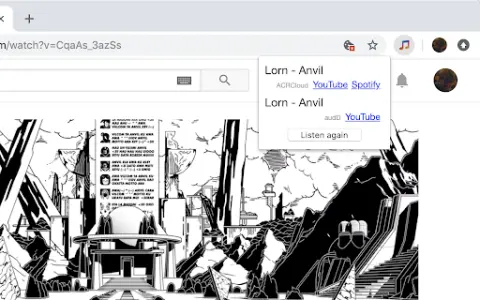
Captures tab audio and identifies it using various audio recognition services.
What are Audio Recognition Services, and what are the Chrome extensions/plugs related to AI?
This service captures the audio being played within browser tabs and sends it to audio recognition services. Currently supported services include audD (no account required; 10 free requests per day), ACRCloud (account needed, but a free plan is available), and AudioTag (account needed, but a free plan is available).
How to use the Audio Recognition Services Chrome extension?
This service captures the audio being played within browser tabs and automatically sends it to the configured audio recognition services (such as audD, ACRCloud, or AudioTag). The identified song information is then returned.
The core functionality of the Audio Recognition Services AI Chrome extension/plug-in
Capture audio from a browser tab
Integration with various audio recognition services (audD, ACRCloud, AudioTag)
Related
Menukite
An AI-driven digital menu system that enables restaurants to offer online ordering and payment services.
SearchMyDocs.ai
An AI search engine that retrieves information from uploaded documents through conversations.
File Organizer 2000
An AI-powered Obsidian plugin for automatic note organization and formatting.
AnswersAi
AI-powered tools that provide quick answers to course-related questions.
PlaylistGPT
An AI-driven tool for creating Spotify playlists based on concert posters.
NewWord
AI-powered multilingual vocabulary notebook for efficient language learning and word organization.