AI TOOL / #06796
AutoPod
An Adobe Premiere Pro plugin for automatic video podcast editing.
Introduction
Adobe Premiere Pro plugin for automatic video podcast editing.
What is AutoPod?
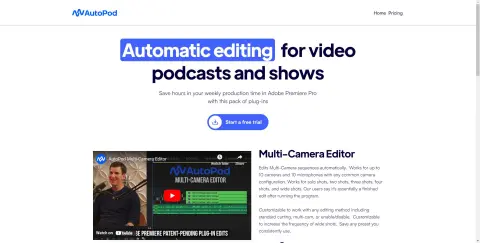
AutoPod is a set of plugins for Adobe Premiere Pro, designed specifically for video podcast and video program editors. It automates tasks such as multi-camera editing, creation of social media-ready content, and seamless editing based on audio silence markers. By streamlining processes that often prove time-consuming for editors, AutoPod helps to save valuable production time every week.
How to use AutoPod?
Install the AutoPod plugin in Adobe Premiere Pro. Open a project file in Premiere Pro, navigate to Window > Extensions, and then click on the desired AutoPod application. Use these tools to automatically edit multi-camera videos, create social media-ready clips, or add transitions based on audio silence.
The core functions of AutoPod
Automatic multi-camera editing
Social media content creation
Jump-cut editing
Related
Glato AI (Beta)
An artificial intelligence platform used for creating engaging, high-quality video advertisements and content.
Vidalgo
A platform that allows users to create vertical videos with just one click, powered by artificial intelligence – ideal for use on TikTok, YouTube Shorts, and Instagram Reels.
MusicHero.ai: Free AI Music Generator from Text Online
An AI music generator that creates royalty-free music based on text input, and also offers features for removing vocals and producing videos.
Speax – AI Video Dubbing
An AI-powered multi-language video dubbing platform that enables lip synchronization.
Vozo AI
A platform for generating, editing, and translating conversational videos using AI.
AI Face Studio
AI Face Studio: An AI-powered tool for facial transformation and editing, ideal for creative projects.