AI TOOL / #07166
GetSearchablePDF
Use OCR technology to convert PDF files into searchable documents.
Introduction
Converts PDFs to searchable documents using OCR.
What is GetSearchablePDF?
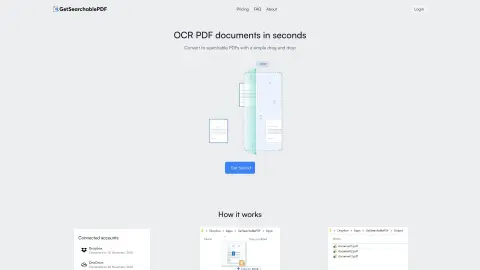
GetSearchablePDF is a service that converts PDF documents into searchable formats by utilizing OCR (Optical Character Recognition) technology. It enables users to transform scanned documents, screenshots, handwritten text, and photos into searchable files. The service places emphasis on ease of use, accuracy, and security; after processing, the files are automatically deleted within 10 minutes. It offers a subscription-based pricing model and also provides a free trial that includes 10 credits.
How to use GetSearchablePDF?
1. Connect your Dropbox or OneDrive account.
2. Drag and drop the PDF file into the input folder (or copy and paste it there).
3. Obtain a searchable PDF file!
The core functionality of GetSearchablePDF
First-class OCR accuracy
Secure file processing (files are automatically deleted after 10 minutes).
Supports handwritten text.
Convert scanned PDF files, screenshots, handwritten text, and photos.
Related
Felo
Free AI intelligent search engine
OpenTaskAI
A global marketplace that connects AI freelancers with enterprises.
AliExpress Image Search
Use image search on AliExpress to find the best direct deals.
Phraser
Phraser is a collaborative AI tool designed for creating various types of visual content.
Audio Enhancer
Tools based on artificial intelligence enhance audio quality by removing noise and unwanted sounds.
Trancy
Language learning assistant with bilingual subtitles and AI-powered translation.