AI TOOL / #07296
AltText.ai: Alt text generator
An AI-based tool that automatically generates high-quality alternative text for images.
Introduction
AI-powered tool for automatically generating high-quality alt text for images.
What is the AltText.ai Chrome extension/plug-in?
AltText.ai utilizes AI and advanced computer vision technologies to automatically generate high-quality alternative text for images. It offers a browser extension that allows users to right-click on any image on a web page and have alternative text generated for it. This extension also uses the meta descriptions of the web pages as SEO keywords in the generated alternative text, and supports more than 130 languages. To use this extension, you need an AltText.ai account and an API key; a free trial is available.
How to use the AltText.ai Chrome extension/plug-in?
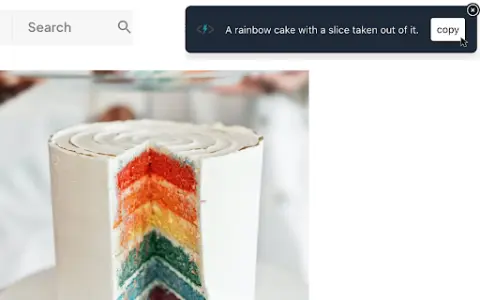
Install the AltText.ai browser extension, right-click on any image, select “Generate Alternative Text” from the menu, and then copy the generated alternative text.
The core functionality of the AltText.ai AI Chrome extension/plugin
Utilize AI and computer vision to automatically generate alternative text.
Browser extensions that facilitate easy access
Integrate SEO keywords from the webpage meta description.
Supports over 130 languages.
Related
transkrip.xyz
AI-powered audio and video transcription services for Indonesian users.
Salad Transcription API
We offer distributed GPU cloud services that integrate computing, storage, and low-cost deployment solutions.
Video2Text
Video2Text is used for transcribing videos; realtime.at is designed to capture expired domain names.
Cockatoo
An AI-powered platform designed for audio and video transcription as well as translation services.
Tali AI
A Chrome extension tool for dictating medical notes and accessing medical databases within EHR systems.
SpaceGrapher
Download, transcribe, and summarize the audio recordings from Twitter Spaces.