AI TOOL / #11014
PDF Translator & Editor
The PDF translator and editor uses artificial intelligence to translate and edit PDFs, documents, and photos.
Introduction
PDF Translator and Editor translates and edits PDFs, documents, and photos using AI.
What is PDF Translator and Editor?
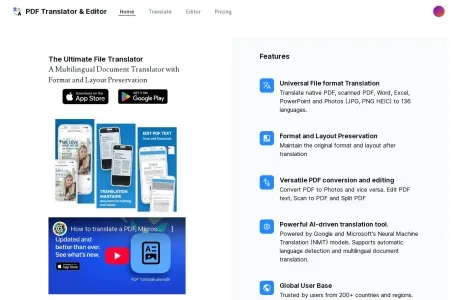
PDF Translator & Editor is an app that translates native and scanned PDFs, office documents, and photos into 136 languages. It uses neural machine translation (NMT) models powered by Google and Microsoft to provide document translation services, while also offering PDF editing features.
How do you use PDF Translator and Editor?
Users can upload PDFs, PPTX files, photos, Excel and Word documents to the platform. The AI-powered translation tool translates files into the desired language. The editor allows users to edit PDF text and convert PDFs to photos, and vice versa.
Core features of PDF Translator and Editor
Translate local and scanned PDFs, Word documents, Excel spreadsheets, PowerPoint presentations, and photos into 136 languages.
请提供需要翻译的内容。
Convert PDFs to photos and vice versa.
Edit PDF text.
Scan to PDF and split PDF.
Automatic language detection and multilingual document translation.
Related
Nayla
AI companion browser and workspace enable intelligent automatic browsing.
JobLander
An AI assistant for real-time transcription, summarization, and action item extraction during calls.
Needl
Needl is an AI assistant designed for instant document searches, appointment arrangements, and customer support services.
Cal.ai
Cal.com is an open-based scheduling infrastructure that offers customized software solutions as well as AI-assisted scheduling tools.
Supermoon
An artificial intelligence-powered software for managing e-commerce and customer service communications.
Automaticall
Intelligent call management system that handles missed calls and automatically schedules appointments.