AI TOOL / #05778
Roshi AI
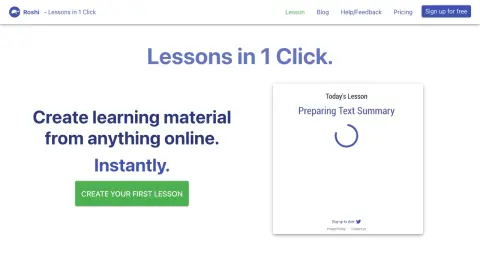
Roshi enables teachers to quickly utilize AI to create interactive learning materials.
Introduction
Roshi helps teachers create interactive learning material quickly using AI.
What is a Roshi?
Roshi enables teachers to quickly create interactive learning materials, and its usage is very straightforward. Users can generate summaries, glossaries, questions, and activities based on YouTube videos or articles. It also allows for the creation of dialogues, visual effects, and targeted exercises according to specific criteria.
How to use Roshi?
Describe the learning materials you need. Use the provided prompts to generate the content, and Roshi will use AI to create those materials for you, which will then be shared on learning platforms such as Moodle or Google Classroom.
The core features of Roshi
AI-driven course generation
Creation of custom voice-driven conversations
Visual content generation (images, brochures, etc.)
Targeted content generation (such as CLB)
Integration with Moodle and Google Classroom
Related
Nayla
AI companion browser and workspace enable intelligent automatic browsing.
JobLander
An AI assistant for real-time transcription, summarization, and action item extraction during calls.
Needl
Needl is an AI assistant designed for instant document searches, appointment arrangements, and customer support services.
Cal.ai
Cal.com is an open-based scheduling infrastructure that offers customized software solutions as well as AI-assisted scheduling tools.
Supermoon
An artificial intelligence-powered software for managing e-commerce and customer service communications.
Automaticall
Intelligent call management system that handles missed calls and automatically schedules appointments.